
JSON là gì? Hướng dẫn đầy đủ & dễ hiểu 2026 cho người mới

Lê Đình Đài

Tìm hiểu JSON từ A-Z: Cách hoạt động, ví dụ và ứng dụng thực tế 2026
JSON đang là “ngôn ngữ chung” của dữ liệu trong năm 2026. Từ web app, mobile app đến AI agents hay blockchain dApps, hầu hết hệ thống hiện đại đều sử dụng JSON để trao đổi và xử lý dữ liệu. Theo State of the API 2025–2026, hơn 92% API công khai chọn JSON làm định dạng tiêu chuẩn nhờ tính nhẹ, dễ đọc và linh hoạt.
Vậy JSON là gì, tại sao nó vẫn “thống trị” sau hơn 25 năm, và làm thế nào để sử dụng JSON hiệu quả trong dự án thực tế? Trong bài viết này, bạn sẽ được tìm hiểu từ định nghĩa cơ bản, lịch sử phát triển, cấu trúc dữ liệu, đến cách sử dụng trong các ngôn ngữ lập trình phổ biến.
Ngoài ra, bài viết còn cung cấp ví dụ code dễ áp dụng, best practices mới nhất 2026, so sánh với các định dạng khác và các ứng dụng thực tế trong API, mobile, IoT, AI và Web3. Qua đó, bạn có thể sử dụng JSON để tối ưu hiệu suất, tăng tính bảo mật và phát triển sản phẩm nhanh hơn.
1. Giới Thiệu Về JSON Và Lịch Sử Phát Triển

Hãy tưởng tượng: Vào đầu những năm 2000, khi web đang chuyển mình từ trang tĩnh sang ứng dụng động, XML với cú pháp dài dòng và tag đóng mở rườm rà khiến việc trao đổi dữ liệu trở nên nặng nề. Trong bối cảnh đó, Douglas Crockford – một lập trình viên tại Yahoo – cùng nhóm đồng nghiệp đã nhận ra một điều đơn giản nhưng đột phá: cú pháp object trong JavaScript đã có sẵn một cách biểu diễn dữ liệu hoàn hảo. Chỉ cần "cạo bỏ" phần code thực thi, giữ lại cấu trúc thuần túy, và thế là JSON ra đời – định dạng dữ liệu nhẹ, dễ đọc, dễ parse, và nhanh chóng trở thành tiêu chuẩn toàn cầu.
Đến năm 2026, JSON không chỉ tồn tại mà còn thống trị hoàn toàn: Theo các báo cáo State of API 2025–2026 từ Postman và khảo sát developer trên GitHub/Stack Overflow, hơn 92% API công khai sử dụng JSON làm định dạng chính, trong khi XML chỉ còn khoảng 6–8% ở các hệ thống legacy. Trong kỷ nguyên AI, microservices, serverless, Web3 và edge computing, JSON vẫn là lựa chọn hàng đầu để serialize dữ liệu cho machine learning models, smart contracts, real-time dashboards hay IoT streams.
Nếu bạn đang xây dựng ứng dụng web, API, script automation, hoặc tích hợp AI – việc hiểu rõ json là gì chính là nền tảng để code hiệu quả, giảm bandwidth và tăng tốc độ phát triển. Hãy cùng khám phá hành trình từ ý tưởng "ngẫu hứng" đến tiêu chuẩn bất diệt, và tại sao JSON vẫn là "vua" của dữ liệu trao đổi sau hơn 25 năm.
Ngoài ra, bạn có thể khám phá thêm nhiều kiến thức lập trình thực tiễn, dễ hiểu tại DinhDai.Tech để nâng cao kỹ năng và áp dụng ngay vào dự án của mình.
JSON Là Gì? Định Nghĩa Cơ Bản Và Ý Nghĩa Trong Lập Trình
JSON (JavaScript Object Notation) là một định dạng dữ liệu text-based, nhẹ, hoàn toàn độc lập với ngôn ngữ lập trình, được thiết kế để:
- Dễ đọc và chỉnh sửa bởi con người
- Dễ phân tích (parse) và tạo (generate) bởi máy tính
JSON lấy cảm hứng từ cú pháp object literal trong JavaScript, nhưng được chuẩn hóa để sử dụng ở bất kỳ ngôn ngữ nào. Nó biểu diễn dữ liệu dưới dạng cặp key-value, tương tự một dictionary/hash map, với khả năng lồng ghép (nested) vô hạn.
Trong lập trình hiện đại (2026):
- Frontend frameworks (React, Vue, Angular, Svelte) fetch và hiển thị dữ liệu JSON từ API.
- Backend (Node.js, Python FastAPI/Flask/Django, Java Spring Boot, Go, Rust) trả response dưới dạng JSON.
- AI/ML: Hầu hết API lớn (OpenAI, Anthropic, Google Gemini, Hugging Face) nhận input/output JSON.
- Config files (package.json, composer.json, helm values), logging, caching, IoT payloads – JSON xuất hiện khắp nơi.
JSON giống như "tiếng Anh quốc tế" của dữ liệu: Ai cũng hiểu, truyền tải nhanh, và ít lỗi hơn so với các định dạng cũ.
Lịch Sử Ra Đời Của JSON Và Sự Phát Triển Đến Năm 2026
Câu chuyện JSON bắt đầu vào khoảng năm 2001–2002:
- Douglas Crockford và Chip Morningstar tại State Software (sau này là Yahoo) phát hiện và phổ biến khái niệm.
- Tháng 4/2001: Thông điệp JSON đầu tiên được trao đổi.
- 2002: Crockford mua domain json.org và công bố grammar chính thức cùng parser mẫu – trang này vẫn là tài liệu tham chiếu chuẩn đến nay.
- 2006: RFC 4627 (informational) định nghĩa MIME type application/json.
- 2013: ECMA-404 chính thức chuẩn hóa JSON (Edition 1).
- 2014: RFC 7159 thay thế RFC 4627.
- 2017: RFC 8259 (hiện hành, STD 90) – củng cố tính ổn định và sửa errata.
Từ 2005–2006, sự bùng nổ của AJAX (Asynchronous JavaScript and XML – thực tế chủ yếu là JSON) đã đẩy JSON lên ngôi. Đến 2026:
- JSON chiếm lĩnh >90% API web và mobile.
- Các biến thể như JSON5 (hỗ trợ comment, trailing comma, unquoted keys), JSON Lines (cho big data streaming), JSONC (commented JSON) được sử dụng rộng rãi.
- Tích hợp sâu với AI (JSON mode trong LLM), blockchain (JSON-RPC), và các công nghệ mới như WebAssembly, edge functions.
JSON không "lỗi thời" – nó tiến hóa và vẫn giữ vị thế số 1.
Lợi Ích JSON So Với Các Định Dạng Dữ Liệu Khác
Tại sao JSON vẫn thắng thế sau hơn hai thập kỷ?
- Nhẹ và tiết kiệm băng thông: Nhỏ hơn XML 2–5 lần → giảm latency, đặc biệt trên mobile và 5G/6G.
- Dễ đọc & debug: Cú pháp sạch sẽ, không tag closing → developer có thể đọc trực tiếp mà không cần tool.
- Parse native & nhanh: Hầu hết ngôn ngữ có built-in support (JSON.parse/stringify trong JS, json module trong Python) – tốc độ parse thường dưới 1ms cho payload trung bình.
- Linh hoạt cao: Hỗ trợ nested objects/arrays dễ dàng, phù hợp dữ liệu phức tạp (user profiles, product catalogs, ML predictions).
- Hệ sinh thái khổng lồ: Hỗ trợ rộng từ browser, server, cloud (AWS, GCP, Azure), tools (Postman, jq, JSONLint), và chuẩn (OpenAPI, JSON:API, GraphQL variables).
So sánh nhanh:
- JSON vs XML: JSON thắng về tốc độ, simplicity; XML vẫn dùng ở SOAP legacy hoặc cần strict schema.
- JSON vs YAML: YAML dễ config hơn (indent-based, comment), nhưng JSON an toàn hơn cho network transmission.
- JSON vs Protobuf/Avro/Cap'n Proto: Binary formats hiệu quả hơn cho big data/high-throughput, nhưng JSON dẫn đầu về readability và web compatibility.
Chính những ưu điểm này khiến JSON trở thành lựa chọn mặc định. Bây giờ, khi đã hiểu rõ nguồn gốc và sức mạnh của nó, hãy cùng "mổ xẻ" cấu trúc json chi tiết để bạn có thể tự tay tạo và xử lý JSON một cách chuyên nghiệp!
2. Cấu Trúc JSON Chi Tiết Và Các Kiểu Dữ Liệu
- Viết JSON hợp lệ ngay từ đầu (tránh lỗi syntax phổ biến như thiếu dấu ngoặc kép, dấu phẩy thừa).
- Xử lý dữ liệu phức tạp mà vẫn giữ code sạch sẽ.
- Debug nhanh khi API trả về malformed JSON.
JSON không phức tạp – mọi thứ chỉ xoay quanh hai khối xây dựng chính: object (dùng {}) và array (dùng []). Từ đó, bạn có thể lồng ghép vô hạn để biểu diễn bất kỳ cấu trúc dữ liệu nào, từ config đơn giản đến response API phức tạp.
Hãy đi từ cơ bản nhất đến chi tiết, kèm ví dụ thực tế và best practices.
Cấu Trúc JSON Cơ Bản: Object, Array Và Key-Value
Cấu trúc json cốt lõi dựa trên:
- Object: Tập hợp không thứ tự các cặp key-value, nằm trong dấu ngoặc nhọn
{}. - Key: luôn là string, phải đặt trong dấu ngoặc kép
" ". - Value: bất kỳ kiểu dữ liệu JSON nào.
- Các cặp cách nhau bằng dấu phẩy ,.
- Array: Danh sách có thứ tự các giá trị, nằm trong dấu ngoặc vuông
[]. - Có thể chứa mixed types, nhưng tốt nhất giữ đồng nhất để dễ xử lý.
Ví dụ object cơ bản (profile người dùng):
JSON
{
  "username": "dev_pro_2026",
  "age": 30,
  "is_active": true,
 "location": "Global"
}
Ví dụ array cơ bản (danh sách công nghệ):
JSON
["React", "TypeScript", "Node.js", "Python", "AI APIs"]
Kết hợp object + array (thực tế hơn):
JSON
{
  "project": "AI Chatbot",
  "team": [
    {"name": "Alice", "role": "Frontend"},
    {"name": "Bob", "role": "Backend"},
    {"name": "Charlie", "role": "ML Engineer"}
  ],
  "status": "in_progress"
}
Best practices ngay từ đầu:
- Sử dụng camelCase cho key (userId, firstName) – chuẩn phổ biến trong JavaScript và hầu hết API.
- Tránh key có khoảng trắng hoặc ký tự đặc biệt (nếu cần, vẫn quote nhưng không khuyến khích).
- Không để trailing comma (dấu phẩy thừa ở cuối) – trừ khi dùng JSON5.
- Giữ object/array gọn gàng; nếu quá phức tạp, cân nhắc flatten hoặc tách thành nhiều endpoint.
Các Kiểu Dữ Liệu Trong JSON: String, Number, Boolean Và Nested
Theo chuẩn RFC 8259 (vẫn hiệu lực 2026), JSON chỉ hỗ trợ 6 kiểu dữ liệu cơ bản:
| Kiểu dữ liệu | Mô tả | Ví dụ trong JSON | Lưu ý quan trọng năm 2026 |
|---|---|---|---|
| String | Chuỗi ký tự | "Hello 2026", "api_key": "sk-abc123" | Phải dùng dấu ngoặc kép " ", hỗ trợ Unicode đầy đủ (emoji, tiếng Việt). |
| Number | Số nguyên hoặc thập phân | 42, 3.14159, -0.0001 | Không phân biệt int/float. Tránh số quá lớn → dùng string để giữ precision. |
| Boolean | true/false | true, false | Viết thường, không quote. |
| Null | Giá trị rỗng/không tồn tại | null | Tốt hơn empty string "" hoặc 0 giả. |
| Object | Tập hợp key-value (nested) | {"contact": {"email": "[email protected]"}} | Có thể lồng sâu, nhưng giữ <5–6 level để dễ đọc. |
| Array | Danh sách có thứ tự | [1, "two", true], [{...}, {...}] | Mixed types OK, nhưng đồng nhất thì tốt hơn. |
Best practices cho kiểu dữ liệu:
- Ngày/giờ → lưu string ISO 8601:
"2026-02-05T13:45:00Z"hoặc"2026-02-05T20:45:00+07:00". - ID lớn, số điện thoại, mã bưu chính → lưu string để tránh mất precision.
- Missing value → dùng
null, không dùng""hoặc0trừ khi có ý nghĩa kinh doanh. - Tránh lạm dụng nested quá sâu → nếu cần, flatten hoặc dùng reference (ví dụ: chỉ lưu ID thay vì toàn bộ object con).
Ví Dụ JSON Đơn Giản Và Phức Tạp Để Minh HọaVí dụ đơn giản – File config cho ứng dụng:
JSON
{
  "app": {
    "name": "Task Manager Pro",
    "version": "2.1.0",
    "environment": "production"
  },
  "features": {
    "dark_mode": true,
    "notifications": true,
    "max_tasks": 1000
  }
}
Ví dụ phức tạp – Response từ API e-commerce tích hợp AI recommendation (rất phổ biến năm 2026):
JSON
{
  "order": {
    "id": "ORD-20260205-789",
    "created_at": "2026-02-05T13:45:00+07:00",
    "status": "processing",
    "total": 52800000
  },
  "customer": {
    "id": 45678,
    "name": "Developer X",
    "email": "[email protected]",
    "shipping_address": {
      "street": "123 Example St",
      "city": "Metropolis",
      "country": "Global",
      "postal_code": "100000"
    }
  },
  "items": [
    {
      "product_id": "P-5090",
      "name": "Laptop RTX 5090 Edition",
      "price": 45000000,
      "quantity": 1,
      "ai_recommendation": {
        "match_score": 0.94,
        "reason": "Phù hợp render 4K, machine learning và gaming AAA"
      }
    },
    {
      "product_id": "P-ANC",
      "name": "Wireless ANC Headphones",
      "price": 3900000,
      "quantity": 2
    }
  ],
  "payment": {
    "method": "credit_card",
    "last4": "4242"
  }
}
Ví dụ này thể hiện sức mạnh của JSON: nested objects, array of objects, mixed types – tất cả vẫn dễ đọc và dễ parse.
3. Cách Sử Dụng JSON Trong Các Ngôn Ngữ Lập Trình Phổ Biến
Dù bạn đang build web app, API backend, script automation, hay tích hợp AI – việc nắm vững cách xử lý JSON trong các ngôn ngữ chính sẽ giúp code nhanh hơn, ít bug hơn, và dễ maintain hơn. Hãy đi qua từng ngôn ngữ theo thứ tự phổ biến: JavaScript (web & full-stack), Python (data & AI), Java (enterprise), và một số ngôn ngữ khác để bạn có cái nhìn toàn diện.
JSON Trong JavaScript: Parse Và Stringify – Native, Nhanh, Không Thể Thay Thế
JavaScript sinh ra để "hiểu" JSON ngay từ đầu – vì JSON chính là một subset hợp lệ của cú pháp object trong JS. Trong môi trường browser hay Node.js năm 2026, bạn chỉ cần hai method built-in: JSON.parse() và JSON.stringify().
Ví dụ thực tế: Gửi request POST đến một AI API và xử lý response JSON.
JavaScript
async function fetchAIResponse(prompt) {
  try {
    const response = await fetch('https://api.example.com/v1/completions', {
      method: 'POST',
      headers: {
        'Content-Type': 'application/json',
        'Authorization': 'Bearer YOUR_API_KEY'
      },
      body: JSON.stringify({
        model: 'gpt-4o-latest',
        messages: [{ role: 'user', content: prompt }],
        max_tokens: 512
      })
    });
    if (!response.ok) throw new Error('API error');
    const data = await response.json();  // Tự động parse thành object
    console.log(data.choices[0].message.content);
    // Lưu kết quả để reuse
    localStorage.setItem('last_ai_response', JSON.stringify(data));
  } catch (error) {
    console.error('JSON parse failed:', error);
  }
}
fetchAIResponse('Giải thích JSON schema validation');
Best practices:
- Luôn wrap
JSON.parse()trong try-catch vì response có thể malformed. - Dùng
JSON.stringify(obj, null, 2)khi debug để pretty-print. - Với dữ liệu lớn: Xem xét streaming JSON (ReadableStream) hoặc thư viện như
oboe.jsđể tránh block event loop.
Lợi ích: Tốc độ parse cực nhanh (thường dưới 1ms cho payload trung bình), tích hợp liền mạch với fetch/axios/Fetch API – lý tưởng cho frontend frameworks (React, Vue, Svelte) và backend Node.js/Next.js.
JSON Trong Python: Module json – Đơn Giản, Linh Hoạt, Hoàn Hảo Cho Data & AI
Python có module json built-in – không cần install thêm gì, và nó cực kỳ thân thiện với lập trình viên làm data processing, automation hay AI backend.
Ví dụ thực tế: Đọc config, gọi API, parse response, rồi lưu kết quả.
Python
import json
import requests
# Đọc config từ file
with open('config.json', 'r', encoding='utf-8') as f:
    config = json.load(f)
# Gọi API và parse response
payload = {
    "model": "gpt-4o",
    "messages": [{"role": "user", "content": "JSON schema là gì?"}]
}
response = requests.post(
    "https://api.openai.com/v1/chat/completions",
    headers={"Authorization": f"Bearer {config['api_key']}"},
    json=payload  # Tự động stringify payload
)
if response.status_code == 200:
    data = response.json()  # Parse response thành dict
    answer = data['choices'][0]['message']['content']
    print(answer)
    # Lưu kết quả với pretty print
    with open('response.json', 'w', encoding='utf-8') as f:
        json.dump({"query": payload["messages"][0]["content"], "answer": answer},
                  f, ensure_ascii=False, indent=4)
else:
    print(f"Error: {response.status_code}")
Best practices:
- Dùng
ensure_ascii=Falseđể giữ nguyên ký tự Unicode (tiếng Việt, emoji…). - Với JSON lớn hoặc cần tốc độ cao: Thử
orjson(nhanh gấp 3–5 lần). - Xử lý lỗi: Catch
json.JSONDecodeErrorkhi parse.
Lợi ích: Tích hợp mượt mà với requests, pandas (pd.read_json), FastAPI/Flask – lựa chọn hàng đầu cho backend AI, data pipeline, scripting.
JSON Trong Java: Gson hoặc Jackson – An Toàn Type, Mạnh Mẽ Cho Enterprise
Java không có JSON built-in, nhưng hai thư viện Gson (Google) và Jackson (nhanh, feature-rich) đã trở thành tiêu chuẩn. Jackson thường được dùng mặc định trong Spring Boot.
Ví dụ với Gson (đơn giản, nhẹ):
Java
import com.google.gson.Gson;
import com.google.gson.reflect.TypeToken;
import java.util.Map;
public class JsonDemo {
    public static void main(String[] args) {
        String json = """
            {
              "name": "Developer Pro",
              "skills": ["Java", "Spring Boot", "AI integration"],
              "experience": 8
            }
            """;
        Gson gson = new Gson();
        // Parse thành Map
        Map<String, Object> map = gson.fromJson(json, new TypeToken<Map<String, bject>>(){}.getType());
        System.out.println(map.get("name"));
        // Parse thành custom class
        class Developer {
            String name;
            String[] skills;
            int experience;
        }
        Developer dev = gson.fromJson(json, Developer.class);
        System.out.println(dev.skills[0]);  // Java
        // Serialize lại
        String serialized = gson.toJson(dev);
        System.out.println(serialized);
    }
}
Jackson (nếu cần advanced features như annotations, streaming):
@JsonProperty,@JsonIgnore, streaming cho large payload.
Best practices:
- Gson cho project nhỏ/nhanh, Jackson cho enterprise (Spring Boot).
- Xử lý date/time: Sử dụng adapters hoặc
@JsonFormat. - Catch
JsonSyntaxException/JsonProcessingException.
Lợi ích: Type-safe, hỗ trợ annotation mạnh mẽ, performance cao – phù hợp microservices, Spring Boot, legacy enterprise systems.
JSON Trong Các Ngôn Ngữ Khác: PHP Và C# – Vẫn Rất Phổ Biến- PHP (Laravel, Symfony):
Built-in json_encode() / json_decode().
PHP
$data = ['framework' => 'Laravel', 'version' => '12.x'];
$json = json_encode($data, JSON_PRETTY_PRINT | JSON_UNESCAPED_UNICODE);
$array = json_decode($json, true); // true → associative array
- C# (.NET 8+):
System.Text.Json(nhanh, built-in).
C#
using System.Text.Json;
var json = "{\"tool\":\".NET\",\"year\":2026}";
var dict = JsonSerializer.Deserialize<Dictionary<string, string>>(json);
Console.WriteLine(dict["tool"]);
Tóm tắt nhanh so sánh các ngôn ngữ:
| Ngôn ngữ | Phương thức chính | Tốc độ parse (tương đối) | Ứng dụng phổ biến nhất năm 2026 |
|---|---|---|---|
| JavaScript | JSON.parse / stringify | Nhanh nhất | Web frontend, Node.js, full-stack |
| Python | json module (hoặc orjson) | Rất nhanh | AI/ML, data processing, backend |
| Java | Gson / Jackson | Cao (Jackson nhanh hơn) | Enterprise, Spring Boot, microservices |
| PHP / C# | json_encode/decode / System.Text.Json | Tốt | Web legacy, .NET APIs |
4. JSON Trong Web Development Và API

Tại sao JSON "không thể thay thế"?
Nó nhẹ, dễ parse native trong JavaScript (frontend), hỗ trợ schema validation mạnh mẽ qua OpenAPI/JSON Schema, và tích hợp hoàn hảo với HTTP caching, CDNs, edge computing. Dù GraphQL và gRPC đang tăng trưởng (GraphQL ~33–61% adoption ở production, gRPC cho internal high-performance), RESTful APIs với JSON vẫn là "workhorse" cho public APIs, CRUD operations và hầu hết các dự án mới.
JSON API: Vai Trò Trong RESTful Services Và Ví DụJSON API là tiêu chuẩn cho RESTful services: mọi request (từ client) và response (từ server) đều dùng JSON để trao đổi dữ liệu. REST (Representational State Transfer) sử dụng HTTP methods chuẩn (GET, POST, PUT/PATCH, DELETE) để thao tác trên resources (nouns như /users, /products), và JSON là payload lý tưởng vì:
- Nhẹ hơn XML → giảm bandwidth (quan trọng cho mobile/edge).
- Native parse ở browser (JSON.parse) và server-side languages.
- Hỗ trợ OpenAPI 3.1+ với full JSON Schema alignment – giúp auto-generate docs, clients, validation mà không conflict.
Ví dụ thực tế – Một endpoint RESTful đơn giản (GET /api/users/123):
Response JSON (status 200 OK):
JSON
{
  "data": {
    "type": "users",
    "id": "123",
    "attributes": {
      "username": "dev_master",
      "email": "[email protected]",
      "created_at": "2026-01-15T10:30:00Z",
      "profile": {
        "bio": "Full-stack dev loving AI & web perf",
        "avatar_url": "https://cdn.example.com/avatars/123.jpg"
      }
    },
    "relationships": {
      "posts": {
        "data": [{ "type": "posts", "id": "456" }]
      }
    }
  },
  "included": [
    {
      "type": "posts",
      "id": "456",
      "attributes": { "title": "JSON Tips 2026" }
    }
  ]
}
Đây là phong cách JSON:API specification (rất phổ biến 2026): tách attributes, relationships, included để giảm over-fetching, hỗ trợ compound documents.
Best practices 2026:
- Sử dụng nouns cho endpoints (/users, không /getUsers).
- Trả về envelope (data, meta, errors, links) cho consistency.
- Hỗ trợ pagination (links.next, meta.total), filtering/sorting (?filter[status]=active&sort=-created_at).
Cách Tạo JSON Cho API Và Xử Lý ResponseTạo JSON cho API đòi hỏi tính nhất quán, validation và error handling tốt.
Backend ví dụ (Node.js/Express – 2026 style):
JavaScript
const express = require('express');
const app = express();
app.use(express.json());
app.post('/api/orders', (req, res) => {
  const { customerId, items } = req.body;
  // Validation (dùng Joi/Zod/OpenAPI schema)
  if (!customerId || !Array.isArray(items)) {
    return res.status(400).json({
      errors: [{
        status: "400",
        title: "Bad Request",
        detail: "Missing required fields: customerId or items"
      }]
    });
  }
  // Business logic...
  const newOrder = { id: "ORD-789", status: "created", total: 12000000 };
  res.status(201).json({
    data: {
      type: "orders",
      id: newOrder.id,
      attributes: newOrder
    },
    meta: { createdAt: new Date().toISOString() }
  });
});
Xử lý response ở frontend (React/fetch):
JavaScript
async function createOrder(orderData) {
  try {
    const response = await fetch('/api/orders', {
      method: 'POST',
      headers: { 'Content-Type': 'application/json' },
      body: JSON.stringify(orderData)
    });
    if (!response.ok) {
      const errorData = await response.json();
      throw new Error(errorData.errors?.[0]?.detail || 'API error');
    }
    const result = await response.json();
    console.log('Order created:', result.data.attributes);
  } catch (err) {
    console.error('Failed:', err.message);
  }
}
Best practices 2026:
- Content-Type: application/json luôn.
- Status codes ý nghĩa: 201 Created, 204 No Content, 400 Bad Request, 401 Unauthorized, 429 Too Many Requests (rate limiting).
- Error format chuẩn: { errors: [{ status, title, detail }] }.
- Versioning: /api/v1/... hoặc header Accept: application/vnd.myapi.v2+json.
- Rate limiting, caching (ETag, Cache-Control), CORS.
JSON Trong Web Development: Tích Hợp Với Frontend Và BackendJSON là cầu nối hoàn hảo giữa frontend (React, Vue, Angular, Svelte) và backend (Node, Python, Java, Go...).
Tích hợp thực tế:
- Frontend → Backend: Sử dụng fetch/axios để POST/GET JSON → backend parse và xử lý (ví dụ: form submit → JSON payload).
- Backend → Frontend: Trả JSON response → frontend parse và render (useState, React Query/TanStack Query cho caching, optimistic updates).
- Real-time: Kết hợp JSON với WebSockets (Socket.io), Server-Sent Events (SSE) hoặc GraphQL subscriptions – ví dụ push notification JSON.
- Server Components / Server Actions (Next.js 2026): Fetch data server-side, stream JSON → giảm client bundle.
Ví dụ full flow – React + FastAPI:
Backend (Python FastAPI):
Python
from fastapi import FastAPI
app = FastAPI()
@app.get("/api/products")
def get_products():
    return {
        "data": [
            {"id": 1, "name": "RTX 5090 Laptop", "price": 45000000},
            {"id": 2, "name": "ANC Headphones", "price": 3500000}
        ],
        "meta": {"total": 2, "page": 1}
    }
Frontend (React):
jsx
import { useEffect, useState } from 'react';
function ProductList() {
  const [products, setProducts] = useState([]);
  useEffect(() => {
    fetch('/api/products')
      .then(res => res.json())
      .then(data => setProducts(data.data));
  }, []);
  return (
    <ul>
      {products.map(p => <li key={p.id}>{p.name} - {p.price.toLocaleString()} VND</li>)}
    </ul>
  );
}
Xu hướng 2026:
- API-first design: Define OpenAPI/JSON Schema trước, generate code/docs.
- Hybrid REST + GraphQL: REST cho simple CRUD, GraphQL cho complex queries.
- AI agents: APIs trả JSON dễ parse cho LLM agents (tool calling).
- Security & perf: HTTPS, JWT/OAuth, compression (Brotli), CDN caching JSON responses.
JSON không chỉ là data format – nó là nền tảng cho mọi integration mượt mà. Với phần này, bạn đã sẵn sàng build APIs chất lượng cao. Tiếp theo, hãy so sánh JSON với các "đối thủ" để chọn đúng tool cho dự án: JSON vs XML, YAML, Protobuf... – phần so sánh sẽ giúp bạn quyết định nhanh chóng!
5. So Sánh JSON Với Các Định Dạng Khác
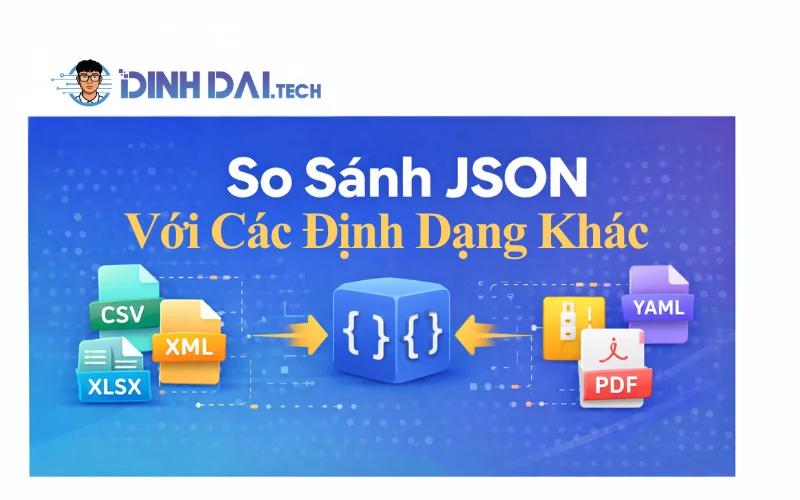
JSON nổi bật nhờ sự cân bằng hoàn hảo: nhẹ, dễ đọc, parse native siêu nhanh (đặc biệt trong JavaScript), hỗ trợ ecosystem khổng lồ (OpenAPI, JSON Schema, tools như jq, Postman), và tích hợp seamless với browser, mobile, AI APIs. Dù binary formats thắng về performance ở high-throughput systems (Kafka streaming, microservices internal), JSON vẫn "thắng" ở accessibility, debug dễ dàng, và adoption rộng rãi – lý do nó chưa bị thay thế hoàn toàn dù đã hơn 25 năm tuổi.
Dưới đây là bảng so sánh chi tiết, cập nhật dựa trên benchmarks 2025–2026 (từ các nguồn như AutoMQ, Medium benchmarks, arXiv studies, và industry reports). Bảng tập trung vào các tiêu chí quan trọng nhất cho lập trình viên: size, tốc độ, readability, use cases, và adoption.
| Tiêu chí | JSON | XML | YAML | Protobuf (Google) | Avro (Apache) |
|---|---|---|---|---|---|
| Kích thước dữ liệu | Nhỏ gọn (compact, ~40–50% nhỏ hơn XML) | Lớn (verbose, tag mở/đóng) | Trung bình (indent-based, nhỏ hơn XML nhưng lớn hơn JSON) | Rất nhỏ (binary, 3–10x nhỏ hơn JSON) | Rất nhỏ (binary, thường nhỏ nhất, schema-embedded) |
| Tốc độ serialize/deserialize | Nhanh (native JS, ~2–3x nhanh hơn XML) | Chậm (parsing phức tạp) | Trung bình–chậm (indent parsing) | Siêu nhanh (binary, lên đến 10–100x nhanh hơn JSON ở large data) | Nhanh (binary + schema evolution) |
| Readability (con người) | Xuất sắc (cú pháp đơn giản, dễ debug) | Trung bình (nhiều tag, khó đọc) | Xuất sắc nhất (gần ngôn ngữ tự nhiên, hỗ trợ comment) | Kém (binary, cần tool để đọc) | Kém (binary) |
| Human-writable | Tốt (dễ viết tay) | Khó (tag closing dễ lỗi) | Tốt nhất (indent, comment, anchors) | Không (cần .proto file + compile) | Không (cần schema) |
| Schema support | Tốt (JSON Schema, OpenAPI alignment full từ 3.1+) | Xuất sắc (XSD, namespaces) | Tốt (YAML Schema, nhưng ít tooling) | Xuất sắc (.proto, backward/forward compatible) | Xuất sắc (schema evolution runtime) |
| Adoption 2026 | 92%+ APIs web, dominant public APIs | 6–8% (legacy, SOAP, enterprise) | Phổ biến config (Kubernetes, Helm) | Cao ở internal microservices, gRPC | Cao ở big data streaming (Kafka) |
| Ưu điểm nổi bật | - Native browser support - Ecosystem khổng lồ - Dễ debug & integrate AI/LLM | - Strict validation - Attributes & namespaces | - Comment & anchors - Config files lý tưởng | - Performance cao - Type-safe - gRPC native | - Schema evolution - Compact cho streaming |
| Nhược điểm | - Không comment native - Larger ở binary data | - Verbose, chậm - Khó parse | - Indent error dễ - Parsing chậm hơn JSON | - Không readable - Cần schema compile | - Không readable - Phụ thuộc schema |
| Trường hợp dùng tốt nhất | Public APIs, web/mobile, frontend-backend, AI input/output | Legacy enterprise, SOAP, strict docs | Config files (Docker Compose, K8s), human-editable | High-throughput internal services, mobile low-bandwidth | Big data pipelines, Kafka, schema-changing systems |
Tại sao JSON vẫn nổi bật nhất năm 2026?
- Human-readable + machine-efficient balance: Bạn có thể debug JSON bằng mắt thường trong console, Postman, hoặc editor – điều binary formats không làm được.
- Zero-setup: Không cần schema compile (như Protobuf/Avro), parse native ở mọi ngôn ngữ (đặc biệt JS/Python).
- Ecosystem & tooling: OpenAPI 3.1 full JSON Schema alignment → auto-generate client/server code, docs, validation. Hỗ trợ GraphQL variables, REST envelopes.
- Adoption momentum: Dù binary formats thắng performance ở scale lớn (LinkedIn migrate internal sang gRPC+Protobuf), public APIs và developer-facing vẫn giữ JSON vì accessibility và low friction.
- Hybrid future: Nhiều hệ thống dùng JSON cho public/external, Protobuf/Avro cho internal/high-perf – JSON làm "cầu nối" dễ dàng.
Nếu dự án của bạn ưu tiên debug nhanh, collaboration dễ, public exposure – JSON là lựa chọn an toàn và mạnh mẽ nhất. Chỉ khi cần extreme performance (low-latency streaming, massive scale) thì mới chuyển sang binary.
Bảng này giúp bạn nhanh chóng quyết định format phù hợp. Tiếp theo, để làm việc với JSON hiệu quả hơn, hãy khám phá công cụ và thư viện hỗ trợ validation & parsing – những "vũ khí" giúp bạn tránh lỗi và tăng tốc phát triển!
6. Công Cụ Và Thư Viện Hỗ Trợ JSON Validation Và Parsing

JSON tools năm 2026 đã tiến hóa mạnh mẽ: hỗ trợ full JSON Schema Draft 2020-12, tích hợp AI-assisted validation, offline mode, và integration với IDE/CI/CD. Dù bạn dùng online cho quick check hay thư viện cho production, phần này sẽ giới thiệu các công cụ phổ biến nhất (dựa trên adoption 2025–2026 từ GitHub, Stack Overflow, và reports như Postman State of API), kèm ví dụ thực tế và best practices để bạn áp dụng ngay.
JSON Parser Phổ Biến: Công Cụ Online Và Thư ViệnJSON parsers giúp convert JSON string thành object (deserialize) và ngược lại (serialize), đồng thời xử lý large files hoặc streaming.
- Online tools (quick & no-setup):
- JSONLint (jsonlint.com): Classic validator + formatter, hỗ trợ input URL/file, highlight lỗi syntax ngay lập tức. Vẫn top choice cho debug nhanh.
- JSON Formatter & Validator (jsonformatter.curiousconcept.com hoặc jsonformatter.org): Beautify, minify, tree view, và validate cơ bản. Hỗ trợ large JSON (lên đến hàng MB).
- JSON Editor Online (jsoneditoronline.org): Editor full-featured với tree/grid/text mode, diff/compare hai JSON, query bằng JMESPath/JSONPath.
- CodeBeautify JSON Viewer: Tree view đẹp, image preview nếu có URL, big number support.
- Thư viện mạnh mẽ (cho code/production):
- JavaScript: Built-in
JSON.parse/stringify(nhanh nhất cho browser), hoặc Ajv (cho schema validation), oboe.js (streaming large JSON). - Python: Built-in
jsonmodule (an toàn), orjson (Rust-based, nhanh gấp 3–5x, hỗ trợ dataclass), ujson (C-based drop-in replacement). - Java: Jackson (streaming + annotations, default Spring Boot), Gson (Google, lightweight), jsoniter (ultra-fast theo benchmarks 2025).
- C++ / Go / Rust: RapidJSON (C++ siêu nhanh), nlohmann/json (header-only C++), simdjson (SIMD-accelerated), sonic-rs (Rust high-perf).
Best practices 2026:
- Large JSON (>10MB): Dùng streaming parsers (Jackson Streaming, oboe.js, orjson) để tránh OOM.
- Performance-critical: Chọn orjson (Python) hoặc simdjson (C++/Rust) – benchmarks cho thấy nhanh hơn built-in 5–10x ở large payloads.
- Debug: Luôn pretty-print khi log (
JSON.stringify(obj, null, 2) hoặcjson.dump(..., indent=4)).
JSON Validation: Cách Kiểm Tra Lỗi Và SchemaJSON validation không chỉ check syntax mà còn đảm bảo structure đúng (required fields, types, enums, patterns) qua JSON Schema – giống như TypeScript cho JSON.
- Online validators (miễn phí, nhanh):
- JSON Schema Validator (Newtonsoft) (jsonschemavalidator.net): Hỗ trợ Draft 3 đến 2020-12, interactive editor, highlight lỗi chi tiết.
- Ajv-powered tools: JSONLint Schema Validator, Mockoon JSON Schema Validator, Liquid Technologies Online Validator – dùng Ajv (JS library mạnh nhất cho schema).
- JSONBuddy (desktop/online): Full editor + validator, hỗ trợ Draft 4–2020-12, generate schema từ sample JSON.
- json-schema.org/tools: Danh sách 250+ tools, bao gồm Bowtie (meta-validator kiểm tra compliance implementations).
- Thư viện validation production-ready:
- Ajv (JavaScript): Nhanh nhất, hỗ trợ all drafts, custom keywords, error messages chi tiết.
- jsonschema (Python), everit-json-schema (Java), NetworkNT JSON Schema (Java).
- Zod (TypeScript): Không phải pure JSON Schema nhưng infer types từ schema, phổ biến trong Next.js/TS projects.
Ví dụ thực tế – Validate với Ajv (JS):
JavaScript
const Ajv = require('ajv');
const ajv = new Ajv({ allErrors: true });
const schema = {
  type: "object",
  properties: {
    name: { type: "string", minLength: 3 },
    age: { type: "integer", minimum: 18 },
    email: { type: "string", format: "email" }
  },
  required: ["name", "age"],
  additionalProperties: false
};
const validate = ajv.compile(schema);
const data = { name: "Dev Pro", age: 25, email: "[email protected]" };
if (validate(data)) {
  console.log("Valid JSON!");
} else {
  console.log("Errors:", validate.errors);
  // Output: array of detailed errors, e.g. { instancePath: "/age", message: "must be integer" }
}
Best practices:
- Integrate vào CI/CD: Validate API responses trong tests (Postman/Newman, Jest + Ajv).
- Generate schema tự động từ sample JSON (tools như quicktype.io hoặc JSONBuddy).
- Custom errors: Ajv hỗ trợ $comment và errorMessage để friendly messages.
Công Cụ Nâng Cao Như JSONLint Và JSON BeautifierNhững tool này tập trung vào readability và quick fixes:
- JSONLint (validator + beautifier): Classic, lightweight, hỗ trợ URL input – lý tưởng khi debug API response malformed.
- JSON Beautifier / Formatter:
- jsonformatter.curiousconcept.com: Advanced mutate (convert to CSV/YAML), JSONPath tester.
- CodeBeautify JSON Viewer: Tree view + image preview + big int support.
- VS Code extensions: Built-in formatter (Shift+Alt+F), hoặc "JSON Tools" / "Prettier" với JSON support.
- Browser extensions: JSON Viewer (Chrome/Firefox) – auto-format khi mở .json files hoặc API responses.
Nâng cao 2026:
- JSON Crack (visualizer): Tree/graph view đẹp mắt cho complex nested JSON.
- jq (command-line): Query/filter/transform JSON siêu mạnh – "sed cho JSON" (ví dụ:
curl api | jq '.data[] | select(.status=="active")'). - Integration IDE: VS Code, IntelliJ, WebStorm có built-in JSON schema support + validation on-the-fly.
Với các công cụ này, bạn sẽ tránh được 90% lỗi JSON-related ngay từ đầu, debug nhanh gấp 10 lần, và build API robust hơn. Tiếp theo, hãy áp dụng kiến thức vào thực tế: ứng dụng thực tế của JSON trong dự án lập trình – từ config files đến mobile/IoT và ví dụ build API đơn giản. Bạn sẽ thấy JSON không chỉ là data format mà là "người bạn đồng hành" hàng ngày!
7. Ứng Dụng Thực Tế Của JSON Trong Dự Án Lập Trình
JSON không chỉ là lý thuyết hay một định dạng dữ liệu – nó là "người hùng thầm lặng" trong hầu hết các dự án lập trình thực tế năm 2026. Từ việc lưu trữ config đơn giản đến trao đổi dữ liệu real-time giữa hàng triệu thiết bị IoT, JSON xuất hiện ở mọi nơi vì tính linh hoạt, dễ tích hợp, và hiệu suất cao trong các hệ thống phân tán. Theo các báo cáo như State of the API 2025–2026 (Postman) và khảo sát developer (GitHub, Stack Overflow), JSON vẫn là định dạng chính cho >90% API web/mobile, config files trong dự án lớn (Kubernetes, npm, Helm), và dữ liệu từ AI models đến IoT sensors.
Hãy cùng khám phá những ứng dụng thực tế phổ biến nhất, kèm ví dụ code và lý do JSON "thắng thế" so với các định dạng khác. Những case này sẽ giúp bạn thấy rõ tại sao JSON là lựa chọn mặc định trong web, mobile, IoT, và hơn thế nữa.
JSON Trong Lưu Trữ Dữ Liệu Và Config Files
JSON là lựa chọn hàng đầu cho configuration files vì dễ đọc, dễ chỉnh sửa thủ công (không cần recompile), và hỗ trợ version control tốt (Git diff rõ ràng). Nhiều dự án lớn dùng JSON cho settings, thay vì XML hay YAML (YAML tốt cho config phức tạp nhưng dễ lỗi indent; JSON an toàn hơn cho transmission).
Ví dụ thực tế phổ biến:
- package.json (npm/Node.js): Quản lý dependencies, scripts, version – mọi dự án JS/TS đều dùng.
- tsconfig.json (TypeScript): Compiler options.
- .vscode/settings.json (VS Code): Editor configs.
- Kubernetes manifests (thường YAML, nhưng nhiều Helm charts dùng JSON values).
- Custom app configs: Lưu API keys, feature flags, themes.
Ví dụ code – Đọc config JSON trong Python (cho script automation):
Python
import json
# Đọc config từ file
with open('app_config.json', 'r', encoding='utf-8') as f:
    config = json.load(f)
# Sử dụng
api_key = config['api']['openai_key']
debug_mode = config.get('debug', False)  # Default nếu thiếu
print(f"API Key: {api_key[:5]}... | Debug: {debug_mode}")
Lợi ích nổi bật: Dễ scale khi deploy (Docker/K8s mount config.json), hỗ trợ hot-reload (watch file thay đổi), và an toàn hơn binary configs (dễ audit).
JSON Trong Mobile App Development Và IoT
Trong mobile apps (React Native, Flutter, native Android/iOS), JSON là định dạng trao đổi dữ liệu chính với backend qua REST/GraphQL APIs. Mobile devices thường có kết nối không ổn định → JSON nhẹ giúp giảm data usage và tăng tốc load.
Ví dụ thực tế:
- Fetch user profile, products, notifications từ server → parse JSON và render UI.
- Offline storage: Lưu cache JSON vào AsyncStorage (React Native) hoặc SharedPreferences (Android).
- Push notifications: Payload JSON từ Firebase/APNs.
Trong IoT (Internet of Things): Thiết bị gửi telemetry data (temperature, location, status) dưới dạng JSON đến cloud (AWS IoT, Azure IoT Hub). JSON lightweight phù hợp với constrained devices (ESP32, Raspberry Pi), dễ integrate với MQTT/WebSockets.
Ví dụ code – ESP32 gửi JSON data (Arduino/C++):
C++
#include <ArduinoJson.h>
#include <WiFi.h>
#include <HTTPClient.h>
void sendSensorData() {
  StaticJsonDocument<200> doc;
  doc["deviceId"] = "sensor_001";
  doc["temperature"] = 28.5;
  doc["humidity"] = 65;
  doc["timestamp"] = "2026-02-05T14:00:00Z";
  String payload;
  serializeJson(doc, payload);
  HTTPClient http;
  http.begin("https://your-api.com/iot/data");
  http.addHeader("Content-Type", "application/json");
  int httpCode = http.POST(payload);
  // Xử lý response...
}
Lợi ích: Dễ debug (log JSON readable), hỗ trợ schema validation (đảm bảo data đúng format), và tích hợp mượt với AI (ví dụ: gửi JSON sensor data đến ML model predict anomaly).
Ví Dụ Thực Tế: Xây Dựng Một API JSON Đơn GiảnHãy build một mini JSON API dùng FastAPI (Python, cực nhanh và phổ biến 2026) để quản lý "todo list" – dự án thực tế cho beginner hoặc prototype.
Cài đặt nhanh (terminal):
Bash
pip install fastapi uvicorn
Code chính – main.py:
Python
from fastapi import FastAPI, HTTPException
from pydantic import BaseModel
from typing import List
import json
app = FastAPI(title="Simple Todo JSON API")
# Model dữ liệu
class TodoItem(BaseModel):
    id: int
    title: str
    completed: bool = False
# "Database" giả bằng list (thực tế dùng SQLite/MongoDB)
todos: List[TodoItem] = []
@app.get("/api/todos", response_model=List[TodoItem])
def get_todos():
    return todos
@app.post("/api/todos", response_model=TodoItem, status_code=201)
def create_todo(item: TodoItem):
    if any(t.id == item.id for t in todos):
        raise HTTPException(status_code=400, detail="ID already exists")
    todos.append(item)
    return item
@app.put("/api/todos/{todo_id}", response_model=TodoItem)
def update_todo(todo_id: int, updated: TodoItem):
    for idx, t in enumerate(todos):
        if t.id == todo_id:
            todos[idx] = updated
            return updated
    raise HTTPException(status_code=404, detail="Todo not found")
@app.delete("/api/todos/{todo_id}")
def delete_todo(todo_id: int):
    for idx, t in enumerate(todos):
        if t.id == todo_id:
            del todos[idx]
            return {"message": "Deleted"}
    raise HTTPException(status_code=404, detail="Todo not found")
# Chạy: uvicorn main:app --reload
Test API (Postman hoặc curl):
- GET http://127.0.0.1:8000/api/todos → []
- POST với body JSON: {"id":1, "title":"Học JSON 2026", "completed":false}
- Docs tự động tại http://127.0.0.1:8000/docs (Swagger UI).
Tại sao JSON lý tưởng ở đây? Response tự động JSON, dễ test, dễ mở rộng (thêm auth, pagination, schema validation với Pydantic). Dự án này có thể scale thành full backend cho mobile/web app.
Những ứng dụng này cho thấy JSON không chỉ "dùng được" mà còn tối ưu cho hầu hết dự án thực tế: dễ maintain, dễ integrate, và tiết kiệm thời gian debug. Tiếp theo, đừng quên bảo mật và tối ưu – phần bảo mật và tối ưu hóa JSON năm 2026 sẽ giúp bạn tránh rủi ro và tăng performance cho dự án lớn!
8. Bảo Mật Và Tối Ưu Hóa JSON Năm 2026

Đồng thời, khi dữ liệu JSON ngày càng lớn (từ hàng KB đến hàng MB trong streaming hoặc AI payloads), việc tối ưu hóa trở nên bắt buộc để giảm latency, tiết kiệm bandwidth (đặc biệt trên 5G/6G và edge devices), và tránh DDoS từ oversized payloads.
Phần này sẽ đi sâu vào hai khía cạnh quan trọng nhất: bảo mật JSON (ngăn chặn các lỗ hổng thực tế) và tối ưu hóa hiệu suất (cách làm JSON nhanh hơn, nhỏ hơn, an toàn hơn trong production). Với ví dụ code, best practices cập nhật 2026 và các case study thực tế, bạn sẽ biết cách bảo vệ và nâng cấp JSON trong dự án của mình.
JSON Bảo Mật: Ngăn Chặn JSON Injection Và Các Rủi Ro ChínhJSON Injection (hay JSON Hijacking, Mass Assignment) xảy ra khi attacker chèn dữ liệu độc hại vào input → parser xử lý thành object → overwrite properties nhạy cảm hoặc execute code gián tiếp.
Các rủi ro phổ biến năm 2026:
- Prototype Pollution (JavaScript):
__proto__hoặcconstructor.prototypebị overwrite → ảnh hưởng toàn bộ app. - Mass Assignment: Client gửi extra fields → backend save vào DB mà không filter.
- JSONP-like attacks (dù ít dùng nay): Callback injection nếu vẫn hỗ trợ JSONP.
- Oversized Payloads → DoS (Denial of Service).
- Sensitive Data Leak trong error responses hoặc logs.
Best practices bảo mật 2026:
- Không bao giờ parse JSON từ untrusted sources mà không sanitize.
- Sử dụng safe parsers: Trong JS →
JSON.parse+ reviver function để loại bỏ__proto__. - Validate & Sanitize input:
- Dùng schema (JSON Schema + Ajv/Zod) để chỉ chấp nhận fields mong muốn.
- Backend: Whitelist fields, không dùng auto-mapping (như
req.bodytrực tiếp vào model).
Ví dụ code – Bảo vệ JSON parse ở Node.js (2026 safe):
JavaScript
const Ajv = require('ajv');
const ajv = new Ajv({ removeAdditional: true, useDefaults: true }); // auto remove extra fields
const safeParse = (str) => {
  try {
    // Reviver để ngăn prototype pollution
    const obj = JSON.parse(str, (key, value) => {
      if (key === '__proto__' || key === 'constructor') return undefined;
      return value;
    });
    // Validate schema
    const schema = {
      type: 'object',
      properties: {
        username: { type: 'string', maxLength: 50 },
        email: { type: 'string', format: 'email' },
        role: { enum: ['user', 'admin'] }
      },
      required: ['username', 'email'],
      additionalProperties: false
    };
    const validate = ajv.compile(schema);
    if (!validate(obj)) {
      throw new Error(`Validation failed: ${JSON.stringify(validate.errors, null, 2)}`);
    }
    return obj;
  } catch (err) {
    throw new Error(`Invalid JSON: ${err.message}`);
  }
};
// Sử dụng trong API
app.post('/api/profile', (req, res) => {
  try {
    const safeData = safeParse(JSON.stringify(req.body)); // stringify trước để simulate raw input
    // Tiếp tục xử lý safeData
    res.json({ success: true, data: safeData });
  } catch (err) {
    res.status(400).json({ error: err.message });
  }
});
Trong Python (FastAPI + Pydantic): Pydantic tự động validate và loại bỏ extra fields → rất an toàn.
Tối Ưu Hóa JSON: Giảm Kích Thước Và Tăng Tốc ĐộJSON mặc định khá "nặng" vì whitespace và string keys lặp lại. Năm 2026, với edge functions (Cloudflare Workers, Vercel Edge, AWS Lambda@Edge) và mobile-first apps, tối ưu JSON có thể giảm 30–70% latency.
Các kỹ thuật tối ưu:
- Minify JSON: Xóa whitespace, shorten keys (nếu có thể).
- Compression: Gzip/Brotli (Brotli tốt hơn 15–25% so Gzip cho JSON).
- Streaming JSON: Parse dần dần cho large payloads (tránh load toàn bộ vào memory).
- Selective fields: Chỉ trả fields cần thiết (GraphQL-style, hoặc use projection).
- Numeric keys shortening: Dùng short keys như "u" thay "userId" (nhưng chỉ internal, không public API).
- JSON Lines (NDJSON): Cho streaming logs/big data – mỗi line là một JSON object.
Ví dụ – Minify & Compress ở Node.js/Express:
JavaScript
const compression = require('compression');
app.use(compression({ level: 9, threshold: 0 })); // Brotli nếu browser support
// Custom minifier cho response
app.get('/api/large-data', (req, res) => {
  const data = { /* large object */ };
  const minified = JSON.stringify(data); // auto minify
 res.set('Content-Encoding', 'br'); // nếu dùng Brotli middleware
  res.json(JSON.parse(minified)); // hoặc trực tiếp res.send(minified)
});
Streaming parse ở Python (orjson + ijson cho large files):
Python
import orjson
import ijson
# Streaming parse large JSON file
with open('large_data.json', 'rb') as f:
    parser = ijson.parse(f)
    for prefix, event, value in parser:
        if prefix.endswith('.name') and event == 'string':
            print(f"Found name: {value}")
Công cụ hỗ trợ tối ưu:
- json-minify (online/offline).
- Brotli compression (built-in ở hầu hết web servers: Nginx, Cloudflare).
- Fastest JSON libraries: orjson (Python), simdjson (C++/Rust/JS), sonic-rs (Rust).
JSON Trong Các Tiêu Chuẩn Bảo Mật Mới Như GDPR, Zero-Trust Và API Security 2026- GDPR/CCPA compliance: Không trả sensitive data (PII) trong JSON response → dùng tokenization hoặc mask (email → e***@example.com).
- Zero-Trust model: Validate mọi JSON payload (không tin tưởng internal traffic) → dùng mTLS + schema validation ở API gateway (Kong, Traefik, AWS API Gateway).
- OWASP API Security 2026 updates: Bắt buộc rate limiting, payload size limit (ví dụ: max 1MB), error responses không leak stack trace.
- AI-specific: Khi dùng JSON cho LLM tool calling (OpenAI function calling), validate output JSON để tránh hallucination hoặc injection vào tool params.
Checklist nhanh cho production JSON 2026:
- HTTPS everywhere
- Schema validation (Ajv/Zod/Pydantic)
- Input sanitization + reviver function
- Payload size limit (< 1–2MB)
- Compression (Brotli)
- No sensitive data in logs/responses
- Rate limiting & WAF (Web Application Firewall)
Với phần bảo mật và tối ưu này, bạn không chỉ dùng JSON an toàn mà còn làm cho ứng dụng nhanh hơn, tiết kiệm chi phí cloud và giảm rủi ro tấn công. Tiếp theo, hãy nhìn về tương lai: xu hướng JSON trong AI và công nghệ 2026 – nơi JSON tiếp tục tiến hóa và trở thành cầu nối cho các công nghệ đột phá như LLM agents, Web3, và edge AI!
9. Xu Hướng JSON Trong AI Và Công Nghệ Tương Lai 2026

- Input/output của function calling / tool use
- Structured output (JSON mode)
- Agent orchestration (LangChain, LlamaIndex, AutoGen, CrewAI)
- Data serialization trong federated learning và on-device AI
Theo các báo cáo State of AI 2025–2026 (Hugging Face, Stanford AI Index, O'Reilly), hơn 85% các API AI công khai yêu cầu hoặc trả về JSON structured, và con số này tăng lên gần 95% khi dùng function calling. JSON đang tiến hóa từ "text-based" sang "AI-native" với các extension mới, tích hợp sâu vào blockchain, quantum-safe crypto, và edge computing.
JSON Trong AI: Tích Hợp Với Machine Learning Models Và LLM Tool CallingJSON là định dạng lý tưởng cho AI vì dễ parse, dễ validate, và hỗ trợ structured output – giúp LLM trả về dữ liệu có cấu trúc thay vì text tự do (giảm hallucination và parsing error).
Các ứng dụng chính năm 2026:
- Function/Tool Calling: LLM quyết định gọi tool nào → trả JSON với tên function + arguments.
- Structured Extraction: Từ text dài (PDF, email, webpage) extract thành JSON (ví dụ: invoice → {date, amount, vendor}).
- Agent Workflows: Multi-agent systems dùng JSON để trao đổi state giữa agents.
- RAG Pipelines: Vector store metadata và chunk info lưu dưới dạng JSON.
Ví dụ thực tế – OpenAI function calling (JSON mode):
Python
# Python + OpenAI SDK 2026
from openai import OpenAI
client = OpenAI()
response = client.chat.completions.create(
    model="gpt-4o-2026-latest",
    messages=[{"role": "user", "content": "Tìm chuyến bay rẻ nhất từ SGN đến HAN ngày 15/2/2026"}],
    tools=[{
        "type": "function",
        "function": {
            "name": "search_flights",
            "description": "Tìm chuyến bay theo tiêu chí",
            "parameters": {
                "type": "object",
                "properties": {
                    "from": {"type": "string", "description": "Mã sân bay khởi hành"},
                    "to": {"type": "string", "description": "Mã sân bay đến"},
                    "date": {"type": "string", "format": "date", "description": "Ngày bay YYYY-MM-DD"},
                    "max_price": {"type": "number", "description": "Giá tối đa (VND)"}
                },
                "required": ["from", "to", "date"]
            }
        }
    }],
    tool_choice="auto",
    response_format={"type": "json_object"}  # Buộc trả JSON
)
# Parse tool call JSON
ool_call = response.choices[0].message.tool_calls[0]
args = json.loads(tool_call.function.arguments)
print(args)  # {"from": "SGN", "to": "HAN", "date": "2026-02-15", "max_price": 5000000}
Best practices 2026:
- Luôn dùng
response_format={"type": "json_object"}hoặc JSON Schema trong tools để đảm bảo output valid. - Validate output bằng Ajv/Pydantic trước khi execute tool.
- Kết hợp với LangGraph / CrewAI để agent chain dùng JSON làm message format.
JSON Trong Web3 Và Blockchain: Ví Dụ Với Smart Contracts Và JSON-RPCTrong Web3, JSON là chuẩn cho:
- JSON-RPC: Giao tiếp với Ethereum, Solana, Polygon, Layer-2 (Optimism, Arbitrum) – mọi wallet, dApp dùng JSON-RPC.
- Metadata NFT: ERC-721/1155 metadata lưu JSON trên IPFS/Arweave.
- Smart Contract Events & Oracles: Chainlink, Pyth trả data dưới dạng JSON.
- WalletConnect / EIP-1193: Provider gửi/receive JSON messages.
Ví dụ – Gọi smart contract qua ethers.js (2026):
JavaScript
const ethers = require('ethers');
const provider = new ethers.JsonRpcProvider('https://mainnet.infura.io/v3/YOUR_KEY');
const contract = new ethers.Contract(address, abi, provider);
async function getNFTMetadata(tokenId) {
  const uri = await contract.tokenURI(tokenId);
  const response = await fetch(uri); // IPFS/Arweave link
  const metadata = await response.json(); // JSON metadata chuẩn ERC-721
  console.log(metadata); // {name, description, image, attributes: [...]}
}
Xu hướng 2026:
- Account Abstraction (EIP-4337): UserOperations dùng JSON bundles.
- Zero-Knowledge Proofs: JSON làm input/output cho zk-SNARKs circuits (Circom, zkSync).
- Decentralized AI: Fetch model weights/metadata từ IPFS dưới dạng JSON.
Cải Tiến JSON Năm 2026: JSON5, Extensions Và Tích Hợp Quantum ComputingJSON đang tiến hóa để đáp ứng nhu cầu mới:
- JSON5 (được hỗ trợ rộng rãi trong VS Code, Node.js experimental, Deno, Bun):
- Comment // hoặc /* */
- Trailing commas
- Unquoted keys
- Multiline strings
- Hex/binary numbers → Lý tưởng cho config files và human-editable data.
- JSON Lines (NDJSON): Mỗi line là một JSON object – dùng cho logging, streaming data (Kafka, Spark, LLM streaming responses).
- JSONC (Commented JSON): VS Code + extensions hỗ trợ comment trong .jsonc files.
- Extensions cho binary & large data:
- JSON-B (binary JSON) hoặc CBOR (Concise Binary Object Representation) – nhỏ hơn JSON 30–50%, vẫn parse được như JSON.
- JSON with Binary (đề xuất): Embed base64 cho images/binary blobs.
- Quantum-safe integration:
- JSON payloads trong post-quantum cryptography (Kyber, Dilithium) – NIST chuẩn hóa 2024–2025, triển khai rộng 2026.
- JSON làm format cho quantum-secure API signatures (JWS/JWT với PQ algos).
Dự đoán ngắn hạn 2026–2028:
- LLM agents sẽ mặc định dùng JSON cho inter-agent communication (AutoGen, LangGraph).
- Edge AI (on-device models như Phi-3, Gemma-2) serialize state/output JSON để sync cloud.
- Web3 + AI fusion: dApps dùng LLM để generate smart contract calls → JSON-RPC payloads.
- Tools như jq, jsoncrack, quicktype sẽ hỗ trợ JSON5 + schema inference tốt hơn.
JSON đang chuyển mình từ "định dạng dữ liệu" sang "giao thức thông minh" – nền tảng cho AI tự trị và hệ thống phân tán tương lai. Với phần này, bạn đã thấy rõ JSON không chỉ sống sót mà còn dẫn đầu trong kỷ nguyên mới. Tiếp theo, hãy khám phá chuyển đổi JSON và xử lý dữ liệu nâng cao – cách xử lý large-scale JSON, streaming, và tích hợp big data để dự án của bạn scale mượt mà!
10. Chuyển Đổi JSON Và Xử Lý Dữ Liệu Nâng Cao
Phần này sẽ khám phá ba khía cạnh quan trọng nhất: chuyển đổi sang CSV/XML (cho reporting/excel), xử lý JSON lớn mà không crash app (streaming & chunking), và các công cụ tự động/API giúp scale dự án. Với ví dụ code thực tế và best practices 2026, bạn sẽ thấy cách biến JSON "khổng lồ" thành dữ liệu dễ dùng mà vẫn giữ hiệu suất cao.
Chuyển Đổi JSON Sang Các Định Dạng Khác Như CSV Hoặc XMLChuyển JSON sang CSV phổ biến khi cần import vào Excel, Google Sheets, Tableau, hoặc feed vào ML models (Pandas). Sang XML thường cho legacy enterprise systems (SOAP APIs, old ERP) hoặc khi cần strict schema.
Ví dụ thực tế – JSON to CSV trong Python (Pandas – siêu tiện 2026):
Python
import json
import pandas as pd
# Đọc JSON lớn (array of objects)
with open('large_users.json', 'r', encoding='utf-8') as f:
    data = json.load(f)  # Hoặc dùng pd.read_json() trực tiếp nếu flat
 Convert sang DataFrame và export CSV
df = pd.json_normalize(data)  # Flatten nested JSON tự động
df.to_csv('users_export.csv', index=False, encoding='utf-8-sig')  # utf-8-sig cho Excel tiếng Việt
print(f"Exported {len(df)} rows to CSV!")
Nếu JSON nested phức tạp: Dùng pd.json_normalize() để flatten (ví dụ: user.address.city → cột riêng).
JSON to XML trong Python (xml.etree.ElementTree hoặc lxml):
Python
import json
import xml.etree.ElementTree as ET
from xml.dom import minidom
data = json.loads('{"users": [{"name": "Alice", "age": 30}, {"name": "Bob", "age": 25}]}')
root = ET.Element("root")
users_elem = ET.SubElement(root, "users")
for user in data["users"]:
    user_elem = ET.SubElement(users_elem, "user")
    for key, value in user.items():
        elem = ET.SubElement(user_elem, key)
        elem.text = str(value)
# Pretty print XML
xml_str = minidom.parseString(ET.tostring(root)).toprettyxml(indent="  ")
with open('users.xml', 'w', encoding='utf-8') as f:
    f.write(xml_str)
Công cụ online/offline tốt 2026:
- Online: jsonformatter.org (JSON to CSV/XML), konklone.io/json (JSON to CSV nhanh).
- Libraries mạnh: Pandas (Python), Jackson (Java – JsonNode to XML/CSV), Gson (Java – custom adapters), jq (CLI:
jq -r '.[] | [.name, .age] | @csv' file.json > out.csv). - No-code: Modern CSV, SysTools JSON Converter (offline, handle nested lớn).
Best practices: Flatten trước khi convert, handle nulls/missing keys, dùng encoding utf-8-sig cho CSV (tránh lỗi font tiếng Việt trong Excel).
Xử Lý JSON Lớn: Streaming Và Big Data IntegrationJSON lớn (hàng GB) sẽ crash nếu load toàn bộ vào memory (OutOfMemoryError). Giải pháp: streaming parsing – đọc và xử lý từng phần (chunk) mà không load full.
Streaming parsers phổ biến 2026:
- Python:
ijson(iterative),orjson+ijson(nhanh),json-stream(pythonic). - JavaScript/Node.js:
JSONStream,clarinet,oboe.js(browser-friendly), simdjson bindings (siêu nhanh). - Java: Jackson Streaming API (JsonParser/JsonGenerator), simdjson-java (gigabytes/giây).
- Big Data: Spark (spark.read.json với streaming), Kafka (JSON Lines), cuDF RAPIDS (GPU-accelerated cho large JSON Lines).
Ví dụ streaming parse JSON lớn trong Python (ijson – memory-efficient):
Python
import ijson
import csv
# Xử lý large JSON array mà không load full
with open('huge_logs.json', 'rb') as f:  # rb cho binary mode
    parser = ijson.parse(f)

    # Giả sử JSON là array of objects: [{"timestamp": ..., "event": ...}]
    with open('logs_summary.csv', 'w', newline='', encoding='utf-8') as csvfile:
        writer = csv.writer(csvfile)
        writer.writerow(['timestamp', 'event_type'])  # Header

        current_object = {}
        for prefix, event, value in parser:
            if prefix.endswith('.timestamp') and event == 'string':
                current_object['timestamp'] = value
            elif prefix.endswith('.event') and event == 'string':
                current_object['event'] = value
            elif prefix == 'item' and event == 'end_map':  # End of one object
                writer.writerow([current_object.get('timestamp'), current_object.get('event')])
                current_object = {}  # Reset
Lợi ích: Memory usage cố định (~few MB dù file GB), xử lý real-time streaming từ API/Kafka.
Big data integration:
- Spark:
spark.read.json("s3://bucket/large/*.json", multiLine=True)→ DataFrame cho SQL queries. - Kafka + JSON Lines: Mỗi message là một JSON object trên line riêng → dễ consume stream.
- GPU acceleration: RAPIDS cuDF cho JSON Lines lớn (byte-range support, multi-source).
Công Cụ Chuyển Đổi JSON Tự Động Và APIKhi thủ công không đủ, dùng tools tự động:
- CLI mạnh: jq (query + transform + convert:
jq -r '.[] | [.id, .name] | @csv' > out.csv). - Online/API: Convertio, CloudConvert (API hỗ trợ batch), quicktype.io (generate code từ JSON sample cho convert).
- Libraries auto: quicktype (generate TypeScript/Python classes từ JSON → dễ convert), json2csv (Node.js CLI).
- ETL tools 2026: Airbyte/Fivetran (no-code pipelines JSON → CSV/BigQuery), Apache NiFi (visual flow JSON processing), AWS Glue (serverless ETL JSON to Parquet/CSV).
Ví dụ jq convert nhanh:
Bash
# Flatten và convert array JSON to CSV
jq -r '(.[0] | keys_unsorted[]) as $k | $k, (.[].($k)) | @csv' large.json > flat.csv
Với phần này, bạn đã nắm cách "thuần hóa" JSON lớn, chuyển đổi mượt mà, và tích hợp vào pipeline big data – kỹ năng giúp dự án scale từ prototype đến production. Cuối cùng, hãy tổng kết với FAQ về JSON để trả lời mọi thắc mắc phổ biến năm 2026!
❓ Câu hỏi thường gặp
7 câu hỏi
Mở text editor tốt: VS Code (khuyến nghị), Notepad++, Sublime Text (tránh Notepad Windows vì encoding dễ sai).
Viết cấu trúc JSON đúng cú pháp. Ví dụ file user.json đơn giản:
JSON
{
"name": "Nguyễn Văn A",
"age": 28,
"isActive": true,
"skills": ["JavaScript", "React", "Node.js"],
"address": {
"city": "Hồ Chí Minh",
"zip": "700000"
}
}
Lưu ý quan trọng:
Key phải dùng dấu ngoặc kép ("key": value).
Không dùng trailing comma (dấu phẩy thừa ở cuối array/object) – sẽ lỗi syntax.
String dùng ngoặc kép, không dùng ngoặc đơn.
Số và boolean không cần ngoặc.
Lưu file với đuôi .json và encoding UTF-8 (trong VS Code: File > Save with Encoding > UTF-8).
Validate ngay: Copy paste vào https://jsonlint.com/ hoặc extension VS Code "JSON" để check lỗi syntax.
Làm đúng các bước này, file sẽ sạch và dùng được ngay trong API, config, localStorage.
Giải pháp xử lý lớn trong thực tế 2026:
Streaming parser: Parse từng phần mà không load hết (ví dụ: JSONStream cho Node.js, JsonParser trong Java, ijson Python) – lý tưởng cho file GB.
Chunking data: Chia JSON lớn thành nhiều file nhỏ hoặc stream qua API (ví dụ: paginated response).
Chuyển sang database: Thay vì lưu JSON file khổng lồ, dùng MongoDB (native JSON-like), PostgreSQL JSONB, hoặc Redis – query nhanh, không load hết RAM.
Lazy loading: Chỉ parse phần cần (ví dụ: trong web app, dùng fetch với Range header cho partial content).
Ưu tiên streaming/chunking cho big data để tránh OOM (Out Of Memory) errors.
JSONP (JSON with Padding): Workaround cũ để bypass same-origin policy (trước khi CORS phổ biến). Bọc JSON vào function call: callbackFunction({"name": "Linh", "age": 25});.
Ví dụ JSONP response:
JavaScript
myCallback({"status": "success", "data": {"id": 123}});
Trình duyệt sẽ load script tag → thực thi myCallback(...) như hàm JS.
Hiện tại 2026: JSONP ít dùng và không an toàn (dễ XSS attack nếu callback không kiểm soát). Giải pháp chuẩn: CORS headers (Access-Control-Allow-Origin) hoặc proxy server. Hầu hết API hiện đại hỗ trợ CORS → JSONP coi như "lỗi thời".
Quy trình thực tế:
Định nghĩa JSON Schema (file .json mô tả cấu trúc: required fields, types, min/max, pattern...).
Tích hợp thư viện validate:
JavaScript/Node.js: Ajv (nhanh nhất, hỗ trợ draft-2020-12).
Python: jsonschema hoặc pydantic.
Java: Everit JSON Schema.
Validate trước khi xử lý: Trong API handler → nếu invalid → return 400 Bad Request với lỗi chi tiết (ví dụ: "age must be number > 18").
Tích hợp CI/CD: Validate schema trong pipeline (GitHub Actions, Jest tests) để catch lỗi sớm.
Lợi ích: Ngăn crash app, dữ liệu sạch, dễ debug, bảo trì schema như code, hỗ trợ auto-generate types (TypeScript từ schema).
Phương án lưu trữ phổ biến 2026:
Web app (browser): localStorage (dễ, giới hạn ~5-10MB) hoặc IndexedDB (lớn hơn, hỗ trợ query phức tạp).
Mobile app: Lưu file JSON trong thư mục documents (React Native: expo-file-system, Flutter: path_provider + dart:io), hoặc SQLite với cột TEXT/JSON.
Desktop/CLI: File JSON trực tiếp trên disk.
Chiến lược đồng bộ (sync):
Lưu thay đổi cục bộ vào JSON (ví dụ: todo list app).
Khi online: Gửi lên server (POST/PUT), nhận update từ server → merge và lưu lại local.
Xử lý conflict: Dùng timestamp hoặc version field.
Ví dụ: PWA offline-first dùng IndexedDB + Service Worker để cache JSON responses.
JSON Schema validation bùng nổ: Tích hợp sâu trong API (OpenAPI), đặc biệt cho AI function calling/tool calling (OpenAI, Azure OpenAI, agentic AI) – LLM output structured JSON theo schema để gọi tool an toàn, chính xác.
GraphQL & serverless: JSON tiếp tục là payload chính, kết hợp GraphQL cho query linh hoạt, giảm over-fetching.
Edge computing & performance: JSON nhỏ gọn, dễ compress (Brotli/Gzip), phù hợp edge runtimes (Cloudflare Workers, Vercel Edge).
AI/blockchain tích hợp: JSON-LD cho structured data (AI agents crawl e-commerce), ABI JSON trong smart contracts (Ethereum/Hedera compile → JSON ABI).
Kết luận: JSON "trưởng thành" hơn – không chỉ data interchange mà còn là backbone cho AI agents, validation tự động, và hệ thống phân tán. Vẫn đơn giản, universal, và sẽ tiếp tục thống trị!
Kết Luận
Năm 2026, dữ liệu không còn là "vàng" nữa – nó đã trở thành "dầu mỏ" của mọi ứng dụng, từ web app responsive, mobile-first, đến AI agents tự hành và blockchain dApps. Và giữa hàng loạt định dạng dữ liệu, JSON vẫn giữ vững ngôi vương: hơn 92% API công khai sử dụng JSON làm chuẩn trao đổi (theo State of the API 2025–2026), trong khi các công nghệ mới như LLM function calling, edge computing hay Web3 đều dựa vào JSON để serialize input/output một cách mượt mà.
Nếu bạn đang tự hỏi json là gì, tại sao nó vẫn thống trị sau hơn 25 năm, và làm thế nào để sử dụng nó hiệu quả trong dự án thực tế – thì bài viết này dành cho bạn. Chúng ta sẽ đi từ định nghĩa cơ bản, lịch sử phát triển, cấu trúc chi tiết, cách dùng trong các ngôn ngữ lập trình phổ biến, ứng dụng thực tế (web API, mobile, IoT, config), đến bảo mật, tối ưu hóa, xu hướng AI/Web3, và xử lý dữ liệu nâng cao.

Lê Đình Đài
- Kinh nghiệm 5 năm vận hành Shopee & TikTok Shop
- Xây shop thời trang nữ từ 0đ lên doanh thu 5 tỷ/tháng
Founder của dinhdai.tech - Nơi chia sẻ kiến thức, công cụ AI miễn phí và giải pháp tối ưu cho seller. Sứ mệnh của tôi là giúp mọi người kinh doanh hiệu quả hơn với công nghệ.